


Episode 7: 4 Steps to Paint Natural-Looking Skin
Coloring skin has been the apple of my drawing since I mainly draw character and I wanna improve my coloring skill. The tutorial really really helped me in understanding more about skin coloring in a simple and easy to understand lesson.
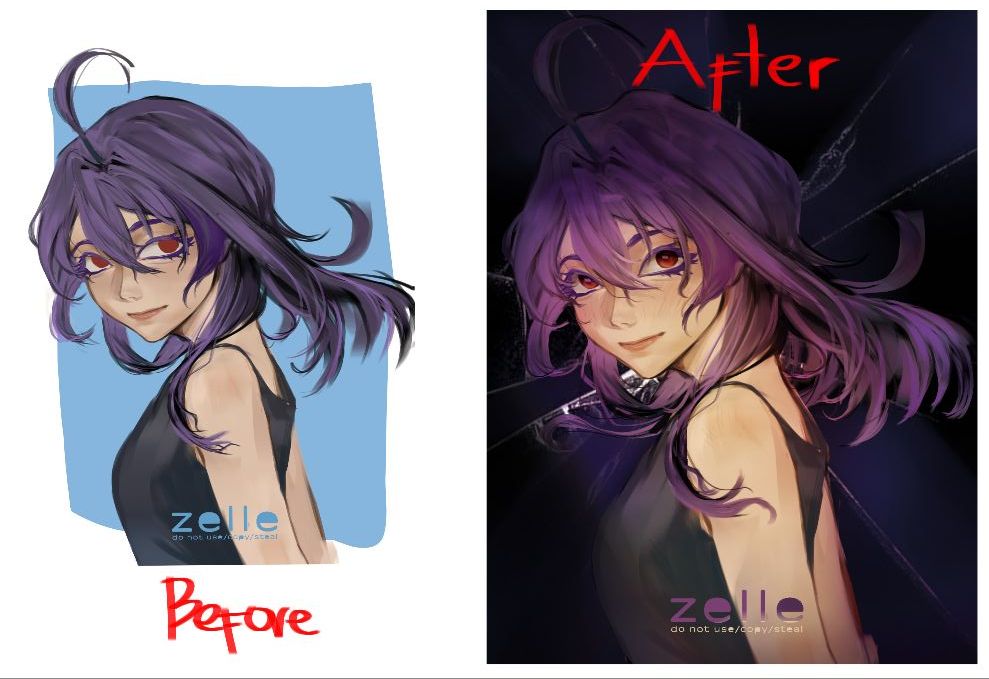
Using the complementary color I chose the purple and yellow combination where the yellow analogous colors are the skin and the purple analogous colors are the hairs. This base color gave a solid base to start my rendering process and as stated in the tutorial to not just slap your base color as is use the brush to add variation to your base color—this is where I always make mistake since I always just use bucket tool to add my base color which made my final artwork plain and flat.
Now that I learned in the tutorial that you don't have to overcomplicate the rendering process but to actually understand the color wheel, I learned also that the more saturated the color the easier it is to render for me that is. .. so yea hope you've read this much and that's all of what I learned in the tutorial 🫡
#XPPenTutorialPractice

Comments