



Hello all to the XP Pen community! I'm extremely honored to have the chance to share my experience on using the all new XP Pen Magic Pro 13 which recently got released by XP Pen! It serves as a successor to the previous tablet they have released in the past, this time with new features and huge leaps in user experience! In this discussion, I would like to go through the things you need to know about this tablet. Before going into the review, I would like to introduce myself! My name is Nevin and I'm also known as 'nefukun' in social media where I share my digital art for the world to see! I've been an XP Pen user since 2019 and I couldn't wait to show you guys an anticipated product that I thought would highly benefit users in terms of experience and convenience!
First of all I would like to state that I’m primarily a person who likes to use portable tablets whenever drawing outside of my home such as the iPad, and looking at this product, as honest i can be, I wouldn’t be sure if it was able to keep up with my current iPad but after using it as a daily driver for weeks, the experience truly shocked me in a positive manner. This tablet truly has its quirks and features that are deemed to be extremely beneficial for an artist like myself and the purpose of those is to enable those who need a device that unlocks a very intuitive method of multitasking. Furthermore, allow me to explain the positives and the negatives.
These are the positives about the tablet experience:
- The aspect ratio of this tablet is extremely favorable for an artist because for example, the iPad almost has a 4:3 aspect ratio despite being 13 inches, yes it has a bit more height but the most important factor is the length that the magic pro 13 provides for a more comfortable experience in using softwares such as Clip Studio Paint where the UI can eat a-lot of space, and the aspect ratio of the magic pro 13 solves that problem very well. Not only for drawing but for viewing content where most forms of media are 16:9, it is much more enjoyable and maximizes more space.
- The DP in feature for me personally is the biggest feature in this tablet, because this feature basically turns this tablet into two separate devices.. A standalone desktop drawing tablet, and a portable android tablet device which is a remarkable feature that has surprised me, the latency and the support of 120hz refresh rate for a seamless desktop tablet experience is absolutely amazing, the setup requires minimal effort on the software and the tablet no longer needs calibration like my older xp pen devices which needed calibrations occasionally every time I plug in the device. I’ve never expected a single cable with the extra port on the device to be able to deliver instant performance and connection without any problems. This feature really encourages a person who doesn’t want too much desk clutter but wants the features of an Android tablet and a standalone tablet together in one.
- The nano etched display and the pen has actually been the best on tablet drawing experience I’ve ever had, the nano etched display is etched to perfection with the perfect amount of friction for the pen and the feedback you get for the pen is extremely different from a pen such as the Apple Pencil which is in one solid piece that does not move, meanwhile the pen from XP Pen has feedback and replaceable nibs which is very handy. For the pen itself, the fact that it has 16K pressure level sensitivity and does not require the need to charge the pen itself like other products is truly an amazing QOL feature, you can basically draw anytime with no limits at all, and the form factor of the pencil is in the slim profile which I highly prefer because it allows for a shallower angle when trying to shade. Combining the 120Hz panel and the 16k pressure sensitivity pen ,makes the experience very instant and has almost zero latency without any lags or buffering.
- The battery life in this product is honestly amazing, with approximately a 10,000 mAh battery this tablet can literally last for a day which is crucial for a person who needs to draw on a go without a charge, it also helps that the pen doesn’t need a battery to charge which preserves the life of the tablet even longer as the day go by.
Next, these are the negatives about the tablet experience:
- By having a nano etched display, it does eliminate the need for a screen protector, but it does run the risk of scratching, especially in a tablet that is very portable, it would have more potential for it to be scratched by accident, etc which is why it needs more care than the typical tablet that has a normal sapphire style glass surface. Therefore I think an option for a nano etched display or a normal glass display would be great for more flexibility
- The place to store the pen is on the weak side, from the tablet which you can magnetically stick the pen to, but in some cases it does fall off from time to time especially when storing the device in a bag or a carrying case.
- The tablet itself does not have a stand or a case which is unfortunately is one of its weak side, because drawing digitally, most artists including myself wants to draw at an angle to have the best drawing posture, therefore a case that helps the tablet to provide multiple angles and especially a place where the pen can be stored would be extremely crucial for hand carry, the longevity of use and activity on the tablet itself
- The android software installed in the tablet might be a bit basic and can be improved, but because it’s android I don’t think it's a problem for any form of customisations, although it would affect some people who desire a more intuitive software experience out of the box.
- The display colors are acceptable, the peak brightness is good enough when used outdoors, but with a nano etched display it can alter the contrast of colors more aggressively when its shined by sunlight, but honestly this is just a small nitpick and it’s not something that should be considered but a higher tier option of this tablet with an OLED display would be very nice.
In conclusion, this tablet has provided one of the best experience I’ve ever had in a single device, the amount of features that it provides for multitasking and daily life use is considered very well, I’m very happy and excited to see what the future holds for this tablet as it could change the workflow of an artist in a very positive manner. With all that said, I would like to thank XP Pen for providing me this tablet for an honest review!
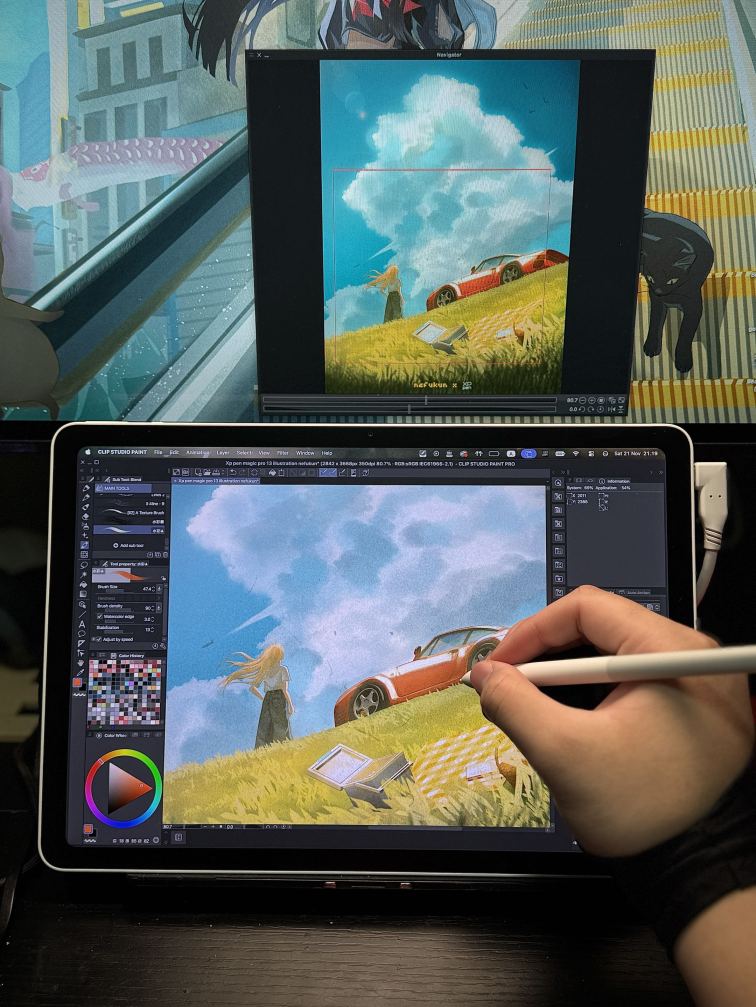
If you guys would like to ask more questions about my overall experience, please feel free to comment below! I'd be happy to share more and answer your questions! Oh and with a little bonus! If 30 artists comments in this discussion between November 23 and 29, XPPen will randomly select one participant from the comments to win a Deco 640!

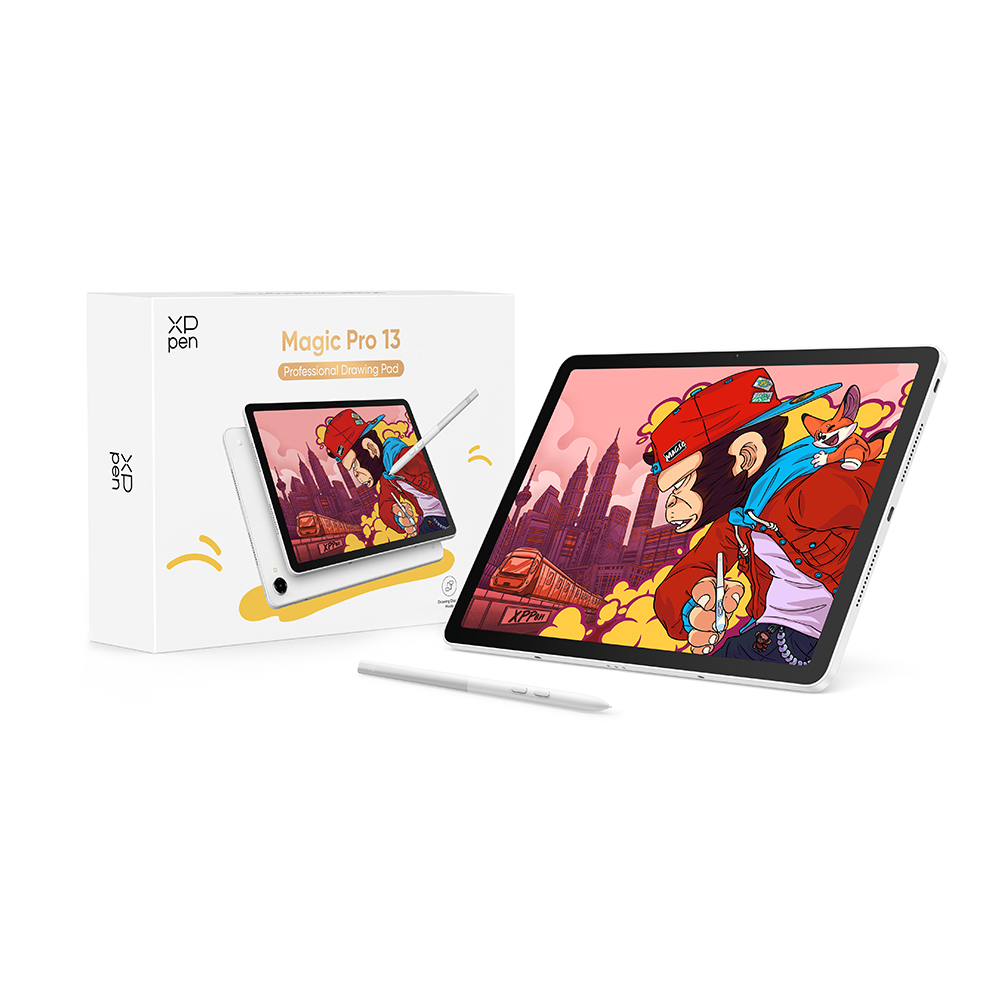 Magic Pro 13
Comments